
Menu software comparisons
aiMenuu vs MustHaveMenus: Which Restaurant Menu Workflow Fits?
Compare aiMenuu and MustHaveMenus by source intake, editing, publishing channels, design scope, approvals and ongoing restaurant menu maintenance.
aiMenuu Editorial Team · October 10, 2026 · 9 min read
aiMenuu and MustHaveMenus both help restaurants turn menu information into guest-facing experiences, but they begin from different operating assumptions. aiMenuu focuses on converting existing menu material into an editable mobile menu, while MustHaveMenus presents a broader restaurant design and publishing platform spanning print, web, social and digital signage.
Quick answer: choose the workflow, not the longest feature list
Choose aiMenuu when the main job is turning an existing PDF or menu photographs into editable content and publishing a mobile menu from a focused AI menu maker workflow. Choose MustHaveMenus when the restaurant specifically needs its wider collection of menu templates and channels such as print design, website menus, social content, publisher listings or digital menu boards.
Neither product can decide whether a dish name, price, allergen note, availability status or photograph is correct. The restaurant remains the source of truth. Assign a menu owner, compare imported content with an approved source, preview the guest view and verify the live result before service.
Use a current real menu for the test. A feature demonstration with sample dishes will not reveal how either system handles your longest names, modifiers, category structure, currency, multilingual text or operational approval process.
Where each product starts
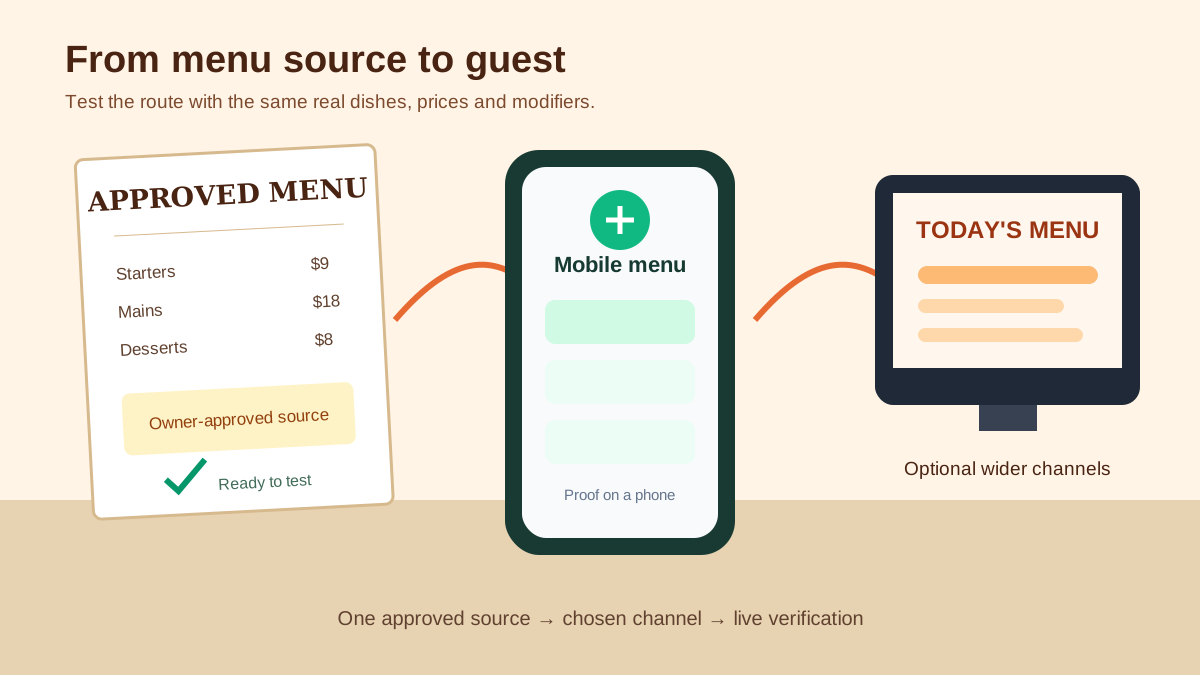
aiMenuu starts with material many restaurants already have. The product can take a PDF or menu photographs, extract the content into an editable structure and help publish a mobile-friendly menu. That can reduce manual retyping, but extraction should always be treated as a draft. Names, prices, symbols and line relationships still need human checking.
MustHaveMenus describes a larger menu-management platform built around restaurant templates and publishing across several channels. Its official site highlights menu design, printing, website menus, digital boards, social graphics and related restaurant marketing tools. That breadth may consolidate work for a team producing several kinds of collateral.
The practical question is whether the restaurant needs a focused mobile-menu route or a multi-output design system. Paying for more channels does not help if nobody owns them. Choosing a focused route does not help if the team must also produce coordinated print and screen assets every week.
Source intake and editing
For aiMenuu, test the actual import path. Upload a representative source that includes prices with decimals, modifier groups, accented characters, long descriptions and at least one intentionally unavailable item. Compare every extracted field with the approved original before editing the design.
For MustHaveMenus, test the template and editor workflow with the same content. Determine how quickly the team can reproduce the restaurant's hierarchy, spacing, brand treatment and operational notes across the outputs it truly needs. Confirm whether the current plan includes the selected templates, exports and publishing destinations.
A useful comparison records minutes and error types, not impressions. Note manual corrections, missing fields, duplicated content, wrapping problems and steps that require a second tool. The guide to choosing an AI menu generator explains how to run this source test without confusing automation with accuracy.
Publishing channels and guest destinations
A mobile menu usually has one primary guest destination: the public page reached from a QR code, website link or social profile. That is aiMenuu's natural comparison case. Test loading speed, category navigation, price association, text size, link behavior and the experience on a weak connection.
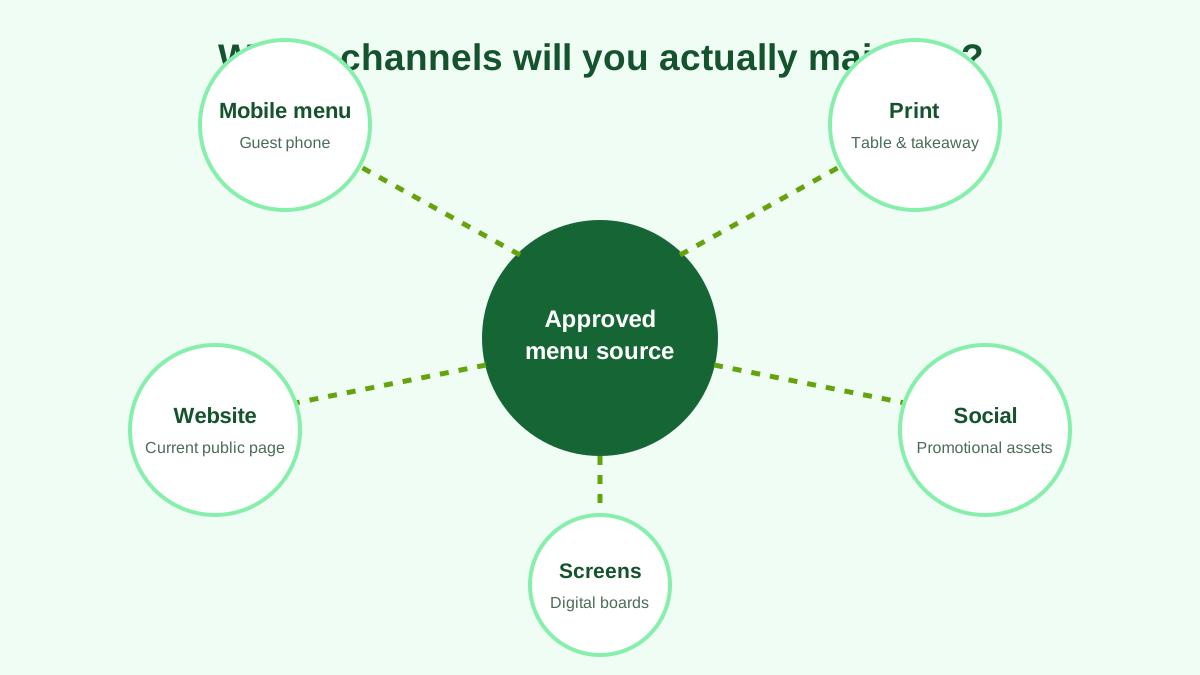
MustHaveMenus may be a stronger candidate when the same approved content must become a printed menu, website menu, social post or digital menu board. Its official digital-signage materials describe a subscription and per-screen pricing model, so a restaurant should verify current costs, required hardware and screen management before treating that channel as included.
Do not assume one edit automatically synchronizes every destination. Ask each vendor which channels share content and which require separate publishing. Keep an inventory of QR codes, website pages, screens, third-party listings and printed files so an older version cannot remain unnoticed.
Design flexibility versus operating consistency
MustHaveMenus offers a large template library, which can be useful for restaurants that want visual choice across campaigns and formats. The team should still establish a small approved system for colors, type, spacing, photography and promotional labels. Unlimited visual options can create inconsistent outputs when every shift manager starts from a different template.
aiMenuu's narrower mobile-menu context can make the operational standard easier to define. Create category rules, description length guidance, currency formatting, modifier language and image criteria. Consistency helps guests scan and helps staff notice incorrect content.
Judge both results on a phone during the conditions in which guests will use them. A design that looks impressive on a large editor canvas may create tiny text, ambiguous price alignment or excessive scrolling on a small screen.
Approvals, corrections and version control
Create one change record for each release. Record the current value, approved replacement, effective service, source, approver, editor, affected channels and verifier. This protects the restaurant when a price arrives in chat, a description arrives by email and an older design file remains open on another computer.
Run the same correction in both products: change one price, retire one item and add one new dish. Measure how clearly the editor identifies the affected content and how easily the team can preview the final guest view before publishing.
The restaurant menu change-log workflow provides fields for approvals and live verification. Use it regardless of platform so the software comparison does not hide the restaurant's responsibility.
Pricing and total operating cost
Compare the current official price for the exact workflow, not a headline starting price. Include required plan tier, number of locations or screens, print or hardware costs, exports, staff time, migration work and any third-party service that remains necessary.
MustHaveMenus publishes plan and channel details that can change. Its digital menu board offer, for example, has separate platform and per-screen considerations in current official materials. aiMenuu's current offer should likewise be checked on its live product or checkout before approval. Capture the date of the comparison.
A cheaper subscription can be more expensive if the team repeats manual corrections across five outputs. A broader platform can be wasteful if the restaurant uses only one mobile page. Calculate the maintained year for the channels you will operate.
A practical 45-minute comparison test
Prepare an approved two-page menu with at least six categories. Include a long dish name, a modifier, an accented character, a price range, a dietary note and one unavailable item. Import or build the same content in both products without simplifying the difficult cases.
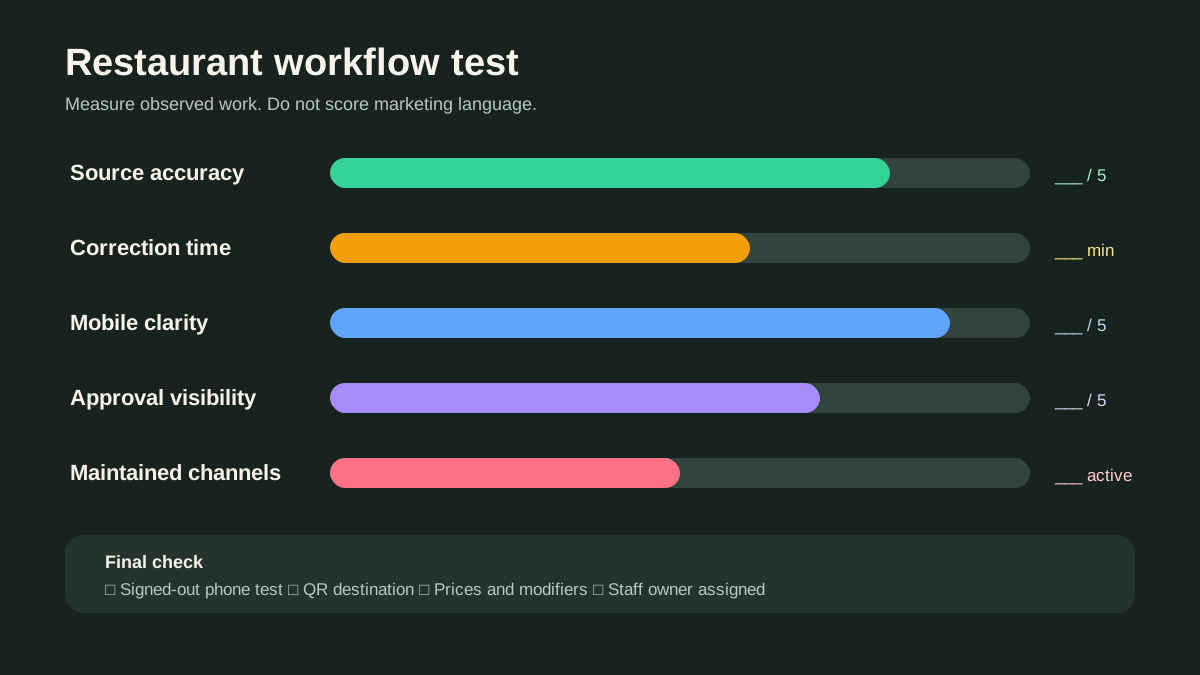
Score source accuracy, correction time, category control, mobile readability, required channels, brand consistency, approval clarity, publishing steps and signed-out verification. Ask a staff member who did not build the menu to locate three dishes and explain the prices.
Then publish to a non-promoted test destination if the product permits it. Open the page from a phone, scan the intended QR route and record every discrepancy. The digital menu board versus QR menu guide helps clarify whether the restaurant is comparing complementary channels or genuine alternatives.
Final recommendation
aiMenuu is the clearer candidate when a restaurant wants a focused route from existing menu material to an editable mobile menu and is prepared to proof the extracted content. MustHaveMenus is the clearer candidate when the team needs a broader design-and-publishing platform and will actively maintain several restaurant marketing channels.
Before choosing, confirm current features and plan limits on each official site, test the same approved menu and assign the person responsible for future changes. The best system is the one that produces an accurate guest experience on every service, not the one with the most unused options.
Whichever route you choose, preserve the approved source, keep a change log and verify the public destination after every release. That operating discipline travels with the restaurant if it later changes tools.
Frequently asked questions
Is aiMenuu the same type of product as MustHaveMenus?
They overlap in restaurant menu publishing but emphasize different workflows. aiMenuu focuses on converting existing menu material into an editable mobile menu, while MustHaveMenus presents a broader template and multi-channel restaurant design platform.
Which tool is better for a QR code menu?
Test the final mobile menu, update workflow and QR destination with your real content. aiMenuu is designed around a focused mobile-menu workflow; MustHaveMenus may suit teams also maintaining other channels.
Can either product guarantee menu accuracy?
No. Extraction, templates and publishing tools still require the restaurant to verify dish names, prices, descriptions, availability and legal or dietary information against an approved source.
How should a restaurant compare current pricing?
Use the official pricing or checkout pages on the decision date and include the required plan, locations, screens, hardware, printing, exports, staff time and remaining third-party tools.