
QR menus
Restaurant QR Code Placement Guide: Tables, Windows and Takeaway
Choose practical QR menu placements for tables, windows, queues and takeaway, then test each code under real service conditions.
aiMenuu Editorial Team · November 17, 2026 · 9 min read
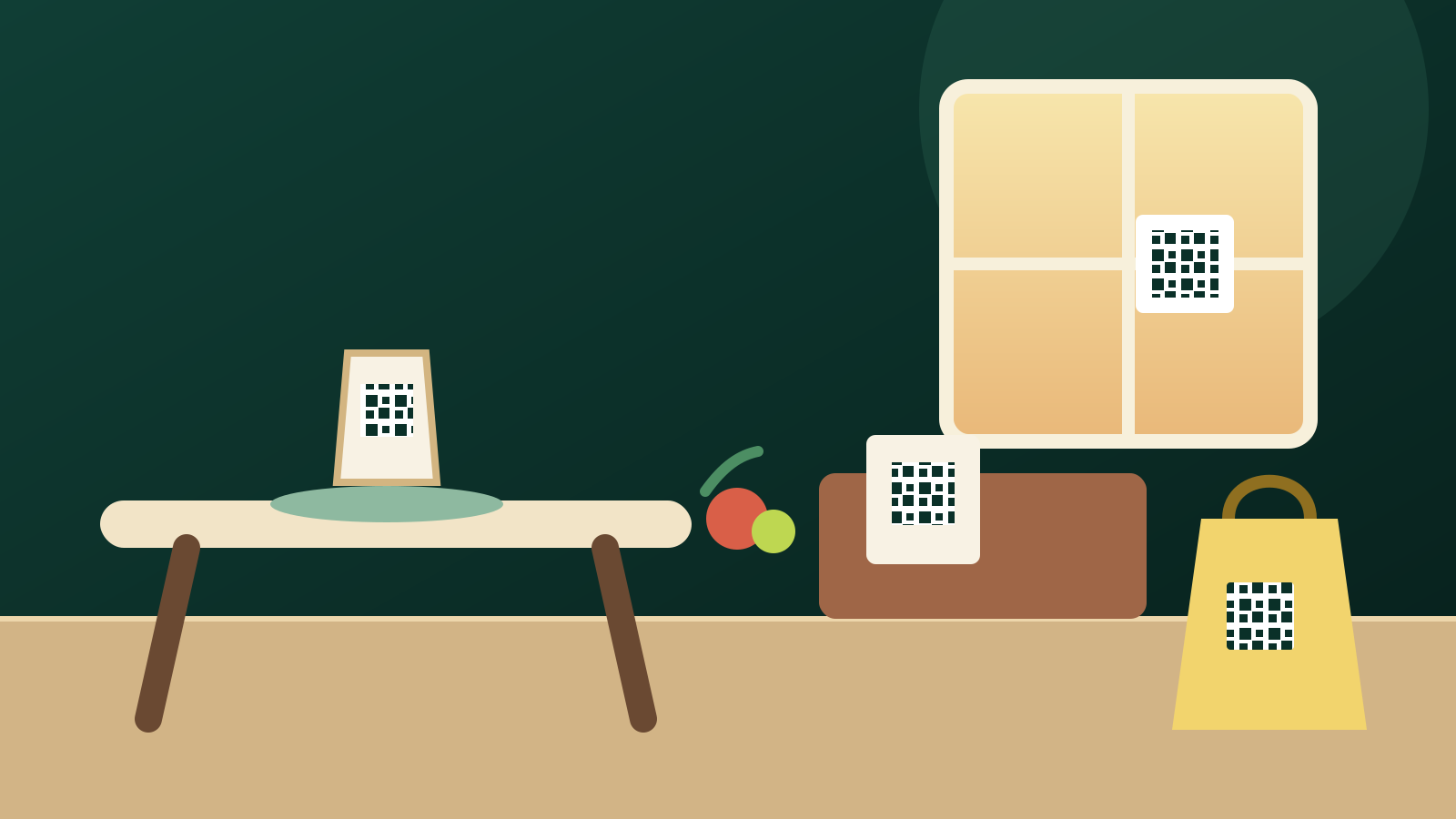
The best restaurant QR code placement is the point where a guest already needs menu information: at the table before choosing, in the queue before ordering, at the window before entering, or on takeaway material for a later visit. An AI menu maker can turn approved menu material into a mobile page, but placement determines whether guests notice the code, understand its purpose and can scan it without awkward movement.
Quick answer: place the code at the decision point
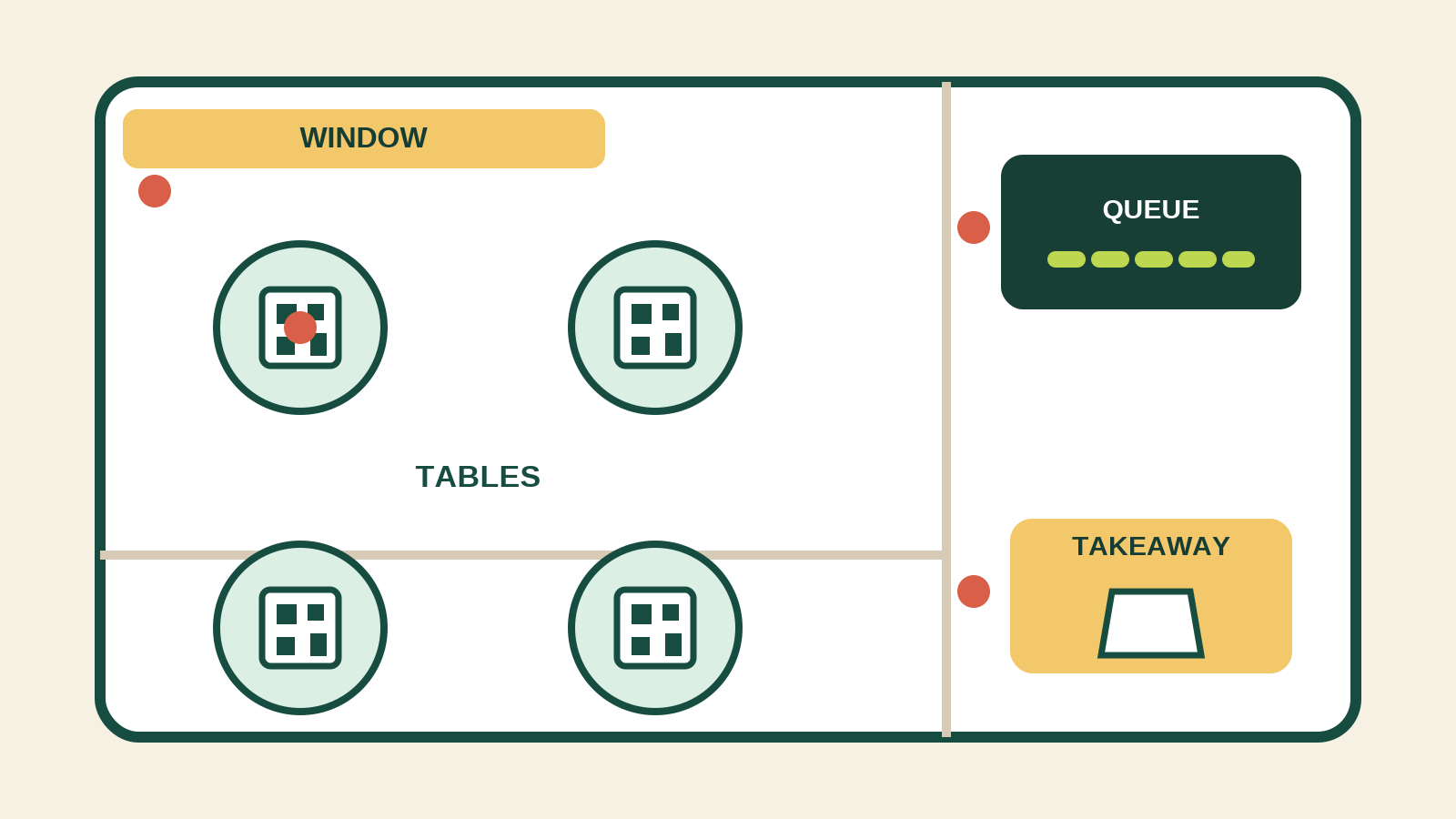
For seated service, put a durable code within comfortable reach on a table tent, menu holder or protected card. For counter service, place it before the order point so guests can browse while they wait. A window or entrance code can help people inspect the menu before entering, while a takeaway insert can make the menu easy to reopen later.
A visible code is not automatically a useful code. The label must say what opens, the destination must load the current public menu, and the guest should not have to stand, lean across another diner or aim through glare. One clear placement that works is better than several small codes competing for attention.
Start with the restaurant QR code menu guide if the destination itself is not yet stable. Placement work should begin only after the live menu address opens directly, works without a sign-in and can survive routine content updates.
Map placement to the guest’s moment
Walk the venue in the same order as a guest. At each point, write the question the person is trying to answer. Outside it may be “What is on the menu?” In a queue it may be “What should I choose before I reach the cashier?” At a table it is usually “What can I order now?” On a takeaway bag it may be “How do I view this restaurant again?”
Give each physical code one destination and one plain instruction. A menu code should not look identical to a payment, Wi-Fi, review or loyalty code placed beside it. If several codes must share a surface, label them individually and separate them visually so the guest can predict the result before opening a camera.
Tables: make scanning easy from the seat
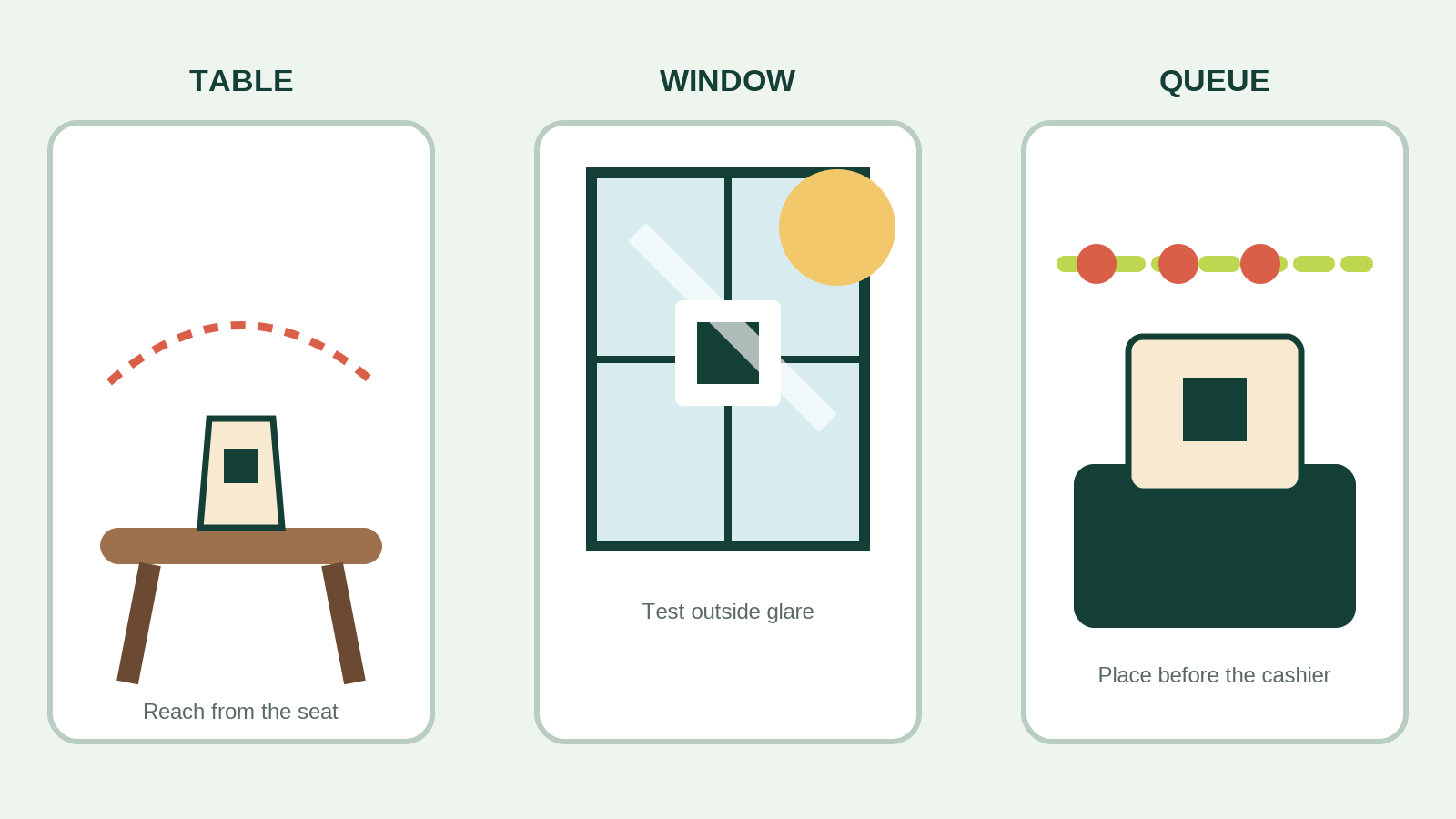
A table tent can face two directions and remain visible when plates arrive. A flat card or sticker takes less space but may be covered by glassware, food or cleaning equipment. Whichever format you choose, keep it outside the normal spill area and close enough that a seated guest can scan without moving furniture.
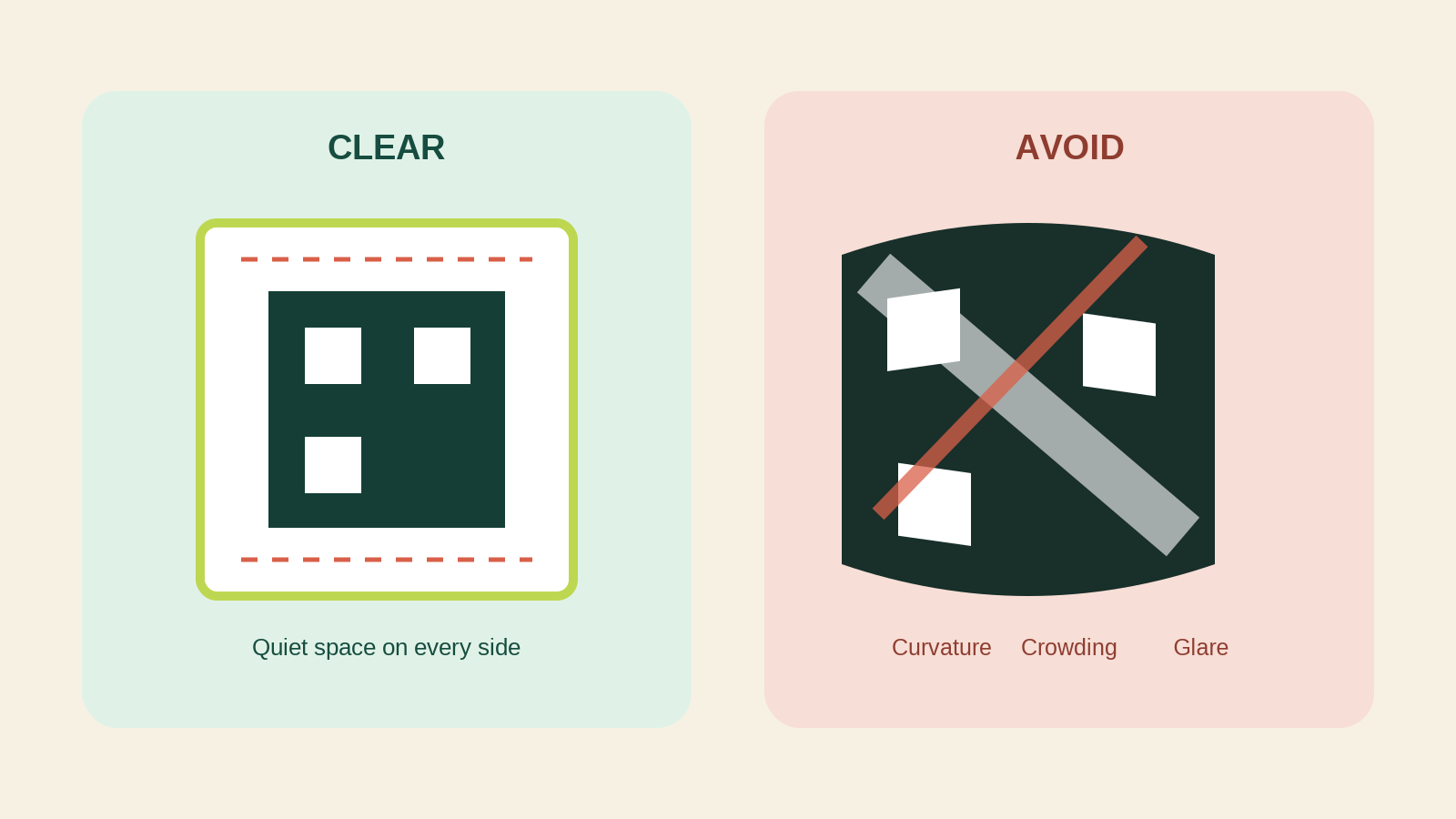
Test the actual material. Glossy lamination can reflect pendant lights, a curved acrylic holder can distort the symbol, and a code printed under glass can collect glare. Rotate or tilt the finished piece, scan from every seat and repeat the test after the table has been fully set for service.
Do not make phone use the only route to essential information. Keep a clean printed menu, a short address or staff assistance available. The code should add a convenient doorway, not create a barrier for a guest without a suitable device, connection or camera permission.
Windows, entrances and queues: design for distance
A window code serves a different moment from a table code. People may be standing outside in daylight, moving past the restaurant or deciding whether to enter. Put it at a safe, reachable viewing height, leave enough space for someone to stop without blocking the door, and check the view from outside the glass.
Reflections change through the day. Test morning sun, evening lighting and the interior lights after dark. A matte surface or a location beside rather than behind reflective glass may work better. The instruction should identify the destination, such as “Scan to view today’s menu,” rather than relying on an unexplained square.
In a queue, place the code before the cashier rather than directly behind staff or the payment terminal. Guests need time and room to browse. The placement should not imply that aiMenuu accepts orders or payments: its public page is for viewing the menu, while the restaurant’s existing ordering process remains separate.
Takeaway materials: design for a later visit
A receipt, bag insert or packaging label can help a guest reopen the menu after leaving, but the surface must suit a code. Avoid folds, seams, curved cup walls and areas likely to absorb oil or condensation. A separate flat insert is often easier to print and scan than a code wrapped around packaging.
Match the message to the moment. “View our current menu” is accurate for a browse-only destination. Do not promise ordering, rewards or a discount unless a separate verified system provides them. If the code opens the same live menu used in the restaurant, staff only need to maintain one approved set of dishes and prices.
Protect scanability in the artwork
Preserve a clear border around the symbol. DENSO Wave’s QR Code guidance specifies a quiet zone four modules wide on every side. Do not place text, borders, photography or a logo inside that margin, and do not stretch a square code to fit a rectangular layout.
Use strong tested contrast and export the code at sufficient quality for the selected print method. A dark pattern on a light background is the simplest starting point. Avoid putting the functional pattern over a detailed image, and never assume a designer’s screen preview proves the final printed material will scan.
There is no single physical size that guarantees success in every venue. Density, scanning distance, camera, print quality, surface, lighting and angle all matter. Print several candidate sizes, test from the guest’s real position with more than one phone, and choose the smallest version that remains comfortably reliable with the final material.
Keep the mobile destination stable and readable
The printed symbol stores an address, not the menu content. Use one public HTTPS destination that opens the current menu directly. The update QR menu without reprinting workflow explains how staff can change approved dishes, prices and layout behind that address while the physical code remains in service.
Check the destination on a small phone and a slower connection. Categories, prices and descriptions should be readable without pinching a page image. If the venue depends on image-heavy layouts, confirm that essential text still appears promptly and that image crops do not hide dish information.
Run the mobile menu accessibility checklist before rollout. Text enlargement, contrast, navigation order, descriptive content and a non-phone fallback are part of the experience. A code can be technically perfect while the page it opens is difficult to use.
Run a one-service pilot
Choose one representative table, one entrance or queue position, and one takeaway sample. Print the real materials and observe a normal service period. Ask staff to note where guests hesitate, which code is covered or moved, and whether people understand what will open.
When the pilot passes, roll out in small batches. Recheck one code after every menu publication and include all physical placements in a monthly walk-through. The goal is a boringly reliable path: see the instruction, scan once, arrive at the current menu and continue the restaurant’s normal service.
People also ask
Frequently asked questions
Where is the best place to put a restaurant menu QR code?
For dine-in service, use a reachable table card, tent or menu holder. For counter service, place it before the cashier so guests can browse while waiting. Window and takeaway placements work when they match a clear guest task and pass real-world scan tests.
Should every restaurant table have a QR code?
Not necessarily. Every guest should have convenient access, but one visible two-sided table tent may serve several seats. Test the set table and service pattern before deciding how many copies are needed.
Can a window QR code use the same menu link as a table code?
Yes, when both should open the same current public menu. The window version may need a larger print, a different instruction and more testing for distance and glare, even though the destination is shared.
How large should a restaurant QR code be?
There is no universal guaranteed size. Print candidate sizes and test the finished material from the actual distance and angle under venue lighting. Increase the code if scanning requires careful aiming.
What should appear next to a menu QR code?
Use a direct instruction such as “Scan to view today’s menu,” preserve clear space around the symbol and add a short menu address when practical. Do not place an unlabeled menu code beside payment or Wi-Fi codes.