
Menu translation
How to Translate a Restaurant Menu Without Losing Meaning
Translate a restaurant menu with one approved source, a practical terminology glossary, native-language review and a synchronized publishing workflow.
aiMenuu Editorial Team · November 23, 2026 · 9 min read
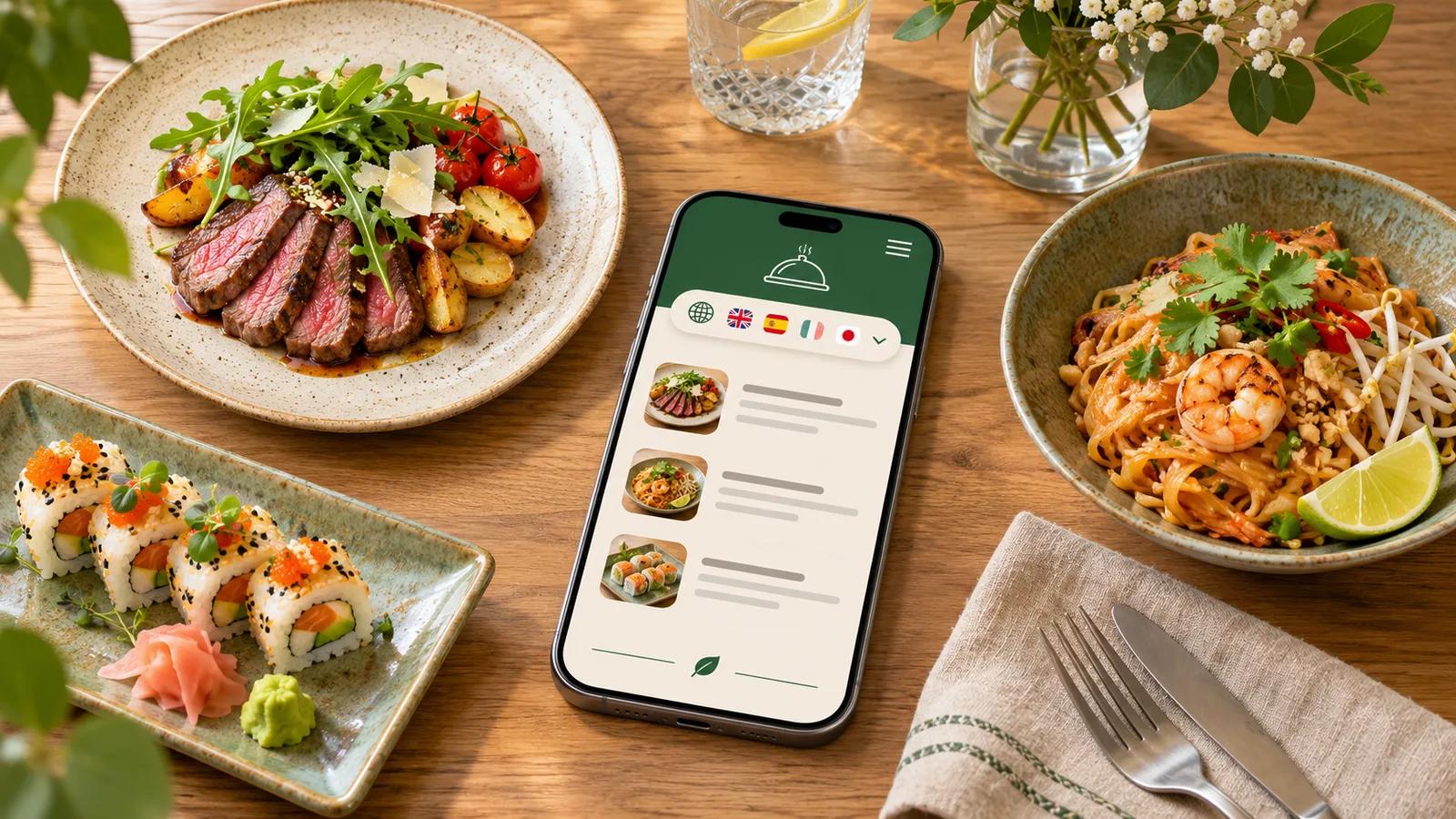
Translate a restaurant menu from one kitchen-approved source, not from old artwork or whichever online listing is easiest to copy. An AI menu maker can help turn an approved PDF or menu photo into editable mobile content, but it should not decide how a regional dish, allergen statement, price note, or house story is expressed in another language. Keep food facts exact, adapt persuasive copy for the reader, and require both an operational review and a native-language review before publishing.
Quick answer: translate the menu system, not only the sentences
A reliable translation project has four connected parts: an approved source menu, a terminology glossary, reviewers with different responsibilities, and one controlled release. The source fixes what the restaurant actually serves. The glossary prevents recurring terms from drifting. The reviewers check kitchen facts and reader-facing language. The release keeps every public version on the same date and menu version.
Do not begin by sending a designer an old PDF and asking for another-language copy. That file may contain retired dishes, last season’s prices, unsupported claims, or wording that no longer matches the kitchen. First decide which menu is authoritative, then translate only content that the restaurant is prepared to publish today.
Build a master menu sheet before translation
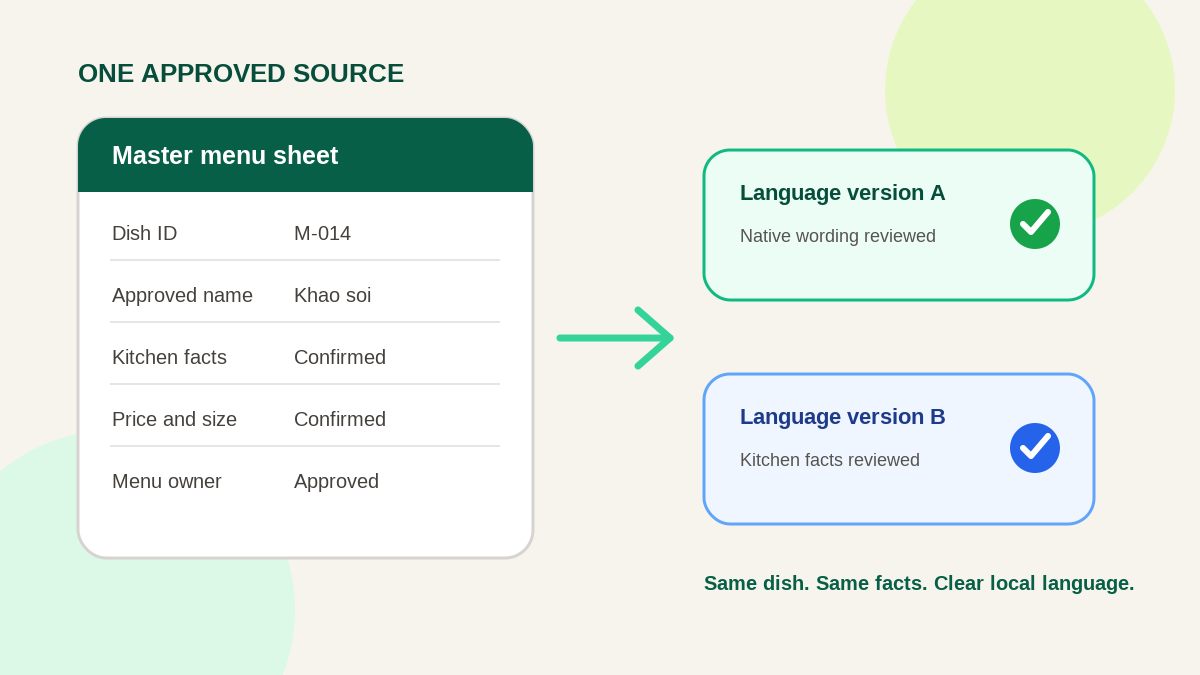
Create one row for every category, dish, option, price, note and label. Give each item a stable internal reference, even if guests never see it. Record the approved source name, the factual description, portion or option details, price, dietary or allergen information supplied by the responsible team, and the person who can resolve questions.
Separate fixed facts from flexible writing. Ingredients, preparation, sizes, prices, service charges and safety-related notes need exact confirmation. Tone, rhythm and descriptive emphasis can be adapted so the new language sounds natural. This distinction prevents a fluent sentence from quietly changing what a guest will receive.
Use the same category structure in every language unless a local reader has a strong usability reason to change it. The guide to organizing a mobile restaurant menu explains why familiar categories and a stable browsing order reduce work for guests and staff.
Choose how each dish name should travel
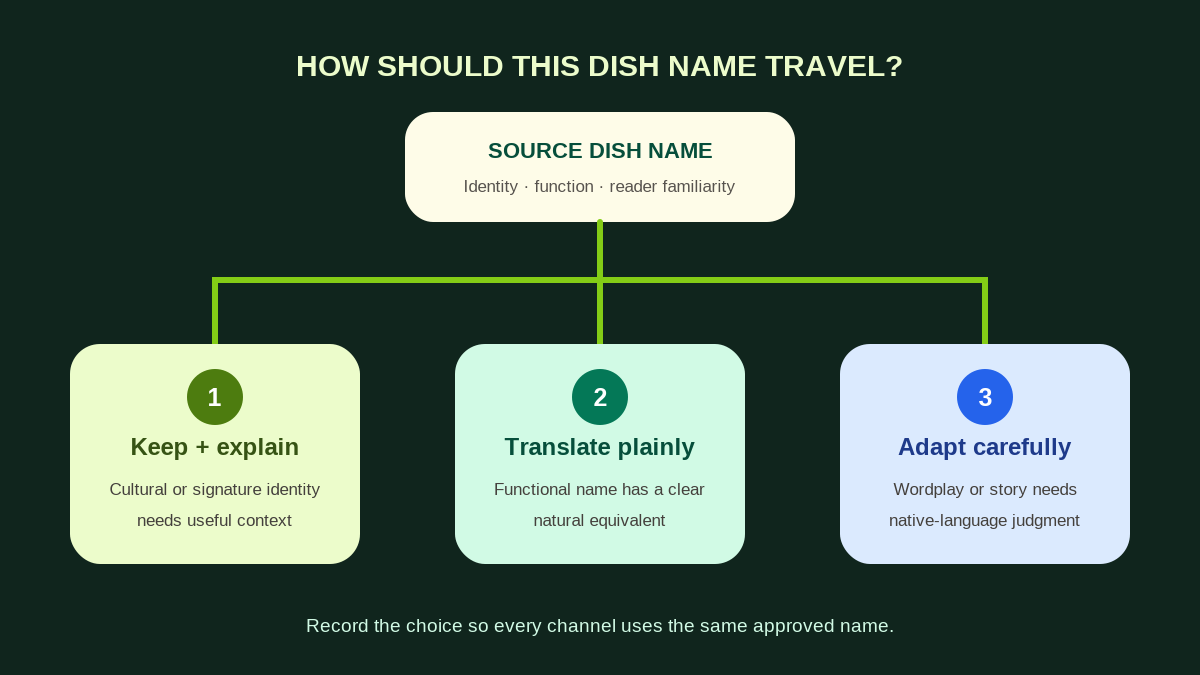
Use one of three treatments for each name. Keep the original and add a short explanation when the name carries cultural identity and readers benefit from context. Translate plainly when the original is functional, such as a preparation or familiar dish category. Adapt a playful or signature name only when a native writer can preserve its role without hiding what the food is.
For example, a traditional name can lead, followed by a concise explanation of the dish type. A house pun that makes no sense outside the source language may need a clear local name, with the brand story moved into the description. Keep a dish number or stable internal reference behind both versions so a guest, server and kitchen team are discussing the same item.
Record the treatment in the glossary. Do not let the same dish appear under a transliteration on the mobile menu, a literal translation on the printed menu and a third name on a business listing. The recent guide to restaurant menu item names provides a useful test: a name should remain understandable, distinctive and easy for staff to repeat.
Translate facts exactly and selling copy naturally
Descriptions should sound written for the guest, not assembled word by word. Preserve every approved food fact, then let a capable writer choose the natural order, vocabulary and sentence length for the target language. The framework for writing mobile menu descriptions is a good source-language check: identify the dish, state the defining components or preparation, and add only a useful distinction.
Prices, quantities, sizes, taxes, service charges and availability notes should remain unambiguous. Decide how currency symbols, decimal separators and units will appear, then apply that rule consistently. Google’s FoodMenus model uses language-tagged labels for menus, sections and items, which is a useful reminder that the language belongs to each piece of content rather than to one decorative heading.
Treat allergen and dietary wording as controlled information. Requirements vary by country and service model, so the restaurant’s compliance owner should approve the applicable terms and process. Food Standards Agency guidance, for example, recommends written allergen information supported by a conversation for non-prepacked food. Translation must not turn a cautious statement into a guarantee or replace staff procedures.
Design for the language change on a phone
Translation changes length. A compact English heading may expand in German, while Japanese or Chinese scripts need fonts with the correct characters and comfortable line height. Test the smallest supported phone, enlarge browser text, and check that names, prices and category controls still belong together without horizontal scrolling.
Show language choices with names readers recognize, not flags alone. A flag represents a country, while a language may be used in many countries and may have different scripts or regional forms. Keep the selector visible and preserve the guest’s position when practical so changing language does not send someone from Desserts back to the top.
If the implementation publishes separate language pages or marks passages with different languages, follow W3C language guidance so browsers and assistive technology can identify the text correctly. The content review still matters most: technically tagged text can be perfectly valid and still be a poor translation.
Use two review passes with named owners
The operational reviewer should compare the translated menu with the approved source for dishes, ingredients, preparation, options, prices, availability and controlled labels. The language reviewer should read the result as a native guest: Is the dish understandable? Does the tone fit the restaurant? Are any phrases awkward, offensive, misleading or unnecessarily literal?
Give both reviewers the final layout, not only a spreadsheet. A correct sentence can wrap badly, detach from its price or sit beneath the wrong image. Use the checklist for proofreading a mobile restaurant menu to separate factual, language, consistency, layout and live-page checks. Record approval and resolve comments in the master source rather than in disconnected email copies.
Publish every language as one controlled release
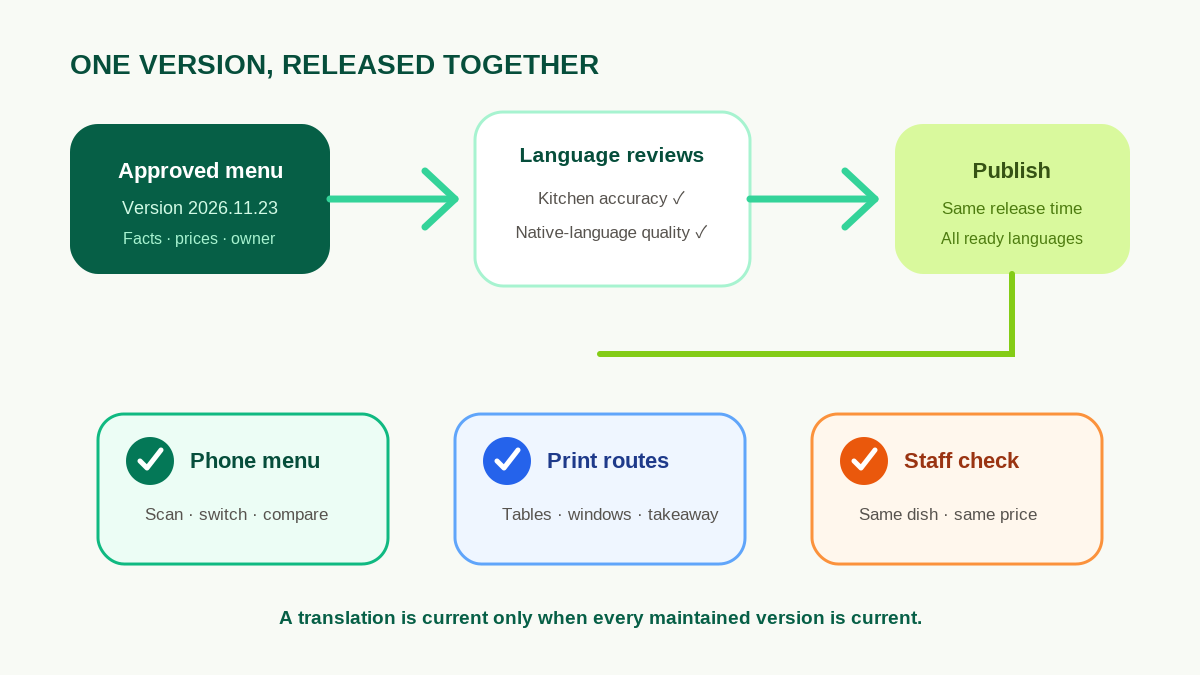
Assign a version and publication time. Update the public menu, printed references, table materials and any other maintained destination from the same approved source. If one language is not ready, either keep the earlier complete version clearly managed or delay the release; do not silently combine today’s prices in one language with last month’s dishes in another.
After publishing, open every language from the actual QR code or menu link on an unsigned-in phone. Check the opening category, several representative dishes, the longest names, every changed price, special characters, images and the route back to the language selector. Ask a staff member to locate the same dish in each version using only the public menu.
Finally, keep a short release record: version, languages, approvers, changed items, public URLs and test result. When a recipe, price or service note changes, start from that record and update all affected languages together.
A final multilingual menu check
Before launch, confirm that every visible line comes from the approved version, every recurring term matches the glossary, dish names use the chosen treatment, controlled information has an accountable reviewer, the language selector is understandable, the layout survives real phone widths, and all languages show the same current menu. Translation is complete only when the public experience is accurate and maintainable after the first release.
People also ask
Frequently asked questions
Should restaurant dish names be translated?
It depends on the name. Keep and explain culturally important names, translate functional names plainly, and adapt playful signature names only when the result stays understandable and accurate. Record the decision so every channel uses the same wording.
Can a restaurant use automatic translation for its menu?
Automatic translation can create a working draft, but the restaurant should not publish it without kitchen fact-checking and native-language review. Dish identity, ingredients, allergens, dietary terms, prices and service notes need accountable approval.
What belongs in a restaurant menu translation glossary?
Include approved dish names, key ingredients, cooking methods, allergens, dietary terms, category labels, sizes, service notes, brand terms and any spelling or script choices that must remain consistent.
How many languages should a restaurant menu offer?
Start with languages supported by real guest demand and a reliable review process. One well-maintained additional language is more useful than several versions the restaurant cannot keep current.
How should a restaurant check a translated QR menu?
Scan the production code on an unsigned-in phone, change language, compare representative dishes and prices with the approved source, test long text and special characters, and confirm that staff can map each public name to the correct item.