
Restaurant operations
Seasonal Menu Changeover: Keep Guests and Staff on the Same Page
Plan a seasonal restaurant menu changeover with approved dish changes, clear service timing, current QR destinations, staff notes, and a public-menu review.
aiMenuu Editorial Team · October 5, 2026 · 7 min read
Treat the changeover as one coordinated release
A seasonal menu changeover succeeds when the kitchen, service team, printed material, and public menu describe the same available dishes. Start with an approved list of changes, prepare the content before service, and choose a clear point for making it guest-facing. A new colour palette is secondary to whether the restaurant can serve what the menu promises.
This guide focuses on the handover between one seasonal offer and the next. An AI menu maker can turn an existing PDF or menu photographs into an editable draft, then help you style and publish a mobile menu. Your team still owns the decisions about recipes, prices, availability, and release timing.
Build a change list from the approved kitchen menu
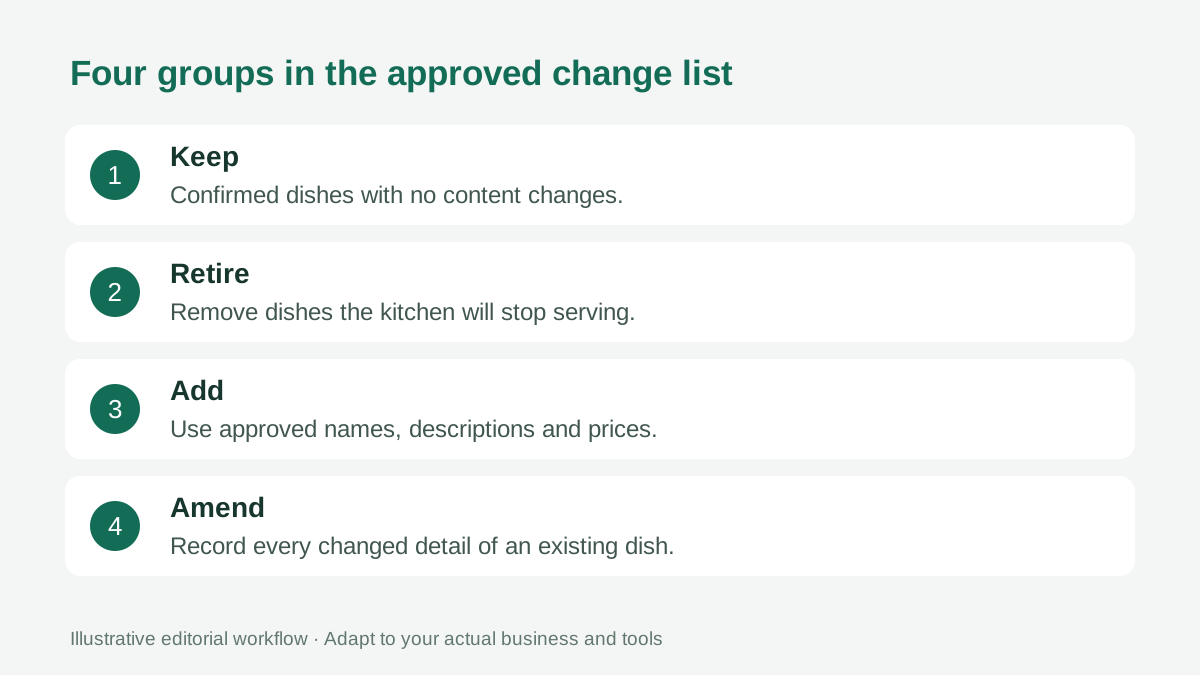
Make a small working document with four groups: dishes staying unchanged, dishes being removed, dishes being added, and dishes whose details are changing. Include category, exact item name, approved description, and price for each affected entry. This document can live in a spreadsheet or ordinary notes; it does not depend on a special menu-platform feature.
Identify the person who approves each kind of detail. The kitchen confirms the actual dish, while the responsible business lead confirms price and presentation. Any ingredient or preparation change should go through the restaurant's established food-information review before wording is reused.
Do not assume that a familiar dish name means nothing changed. A new portion, accompaniment, sauce, or size choice may affect the description. Record those changes explicitly rather than relying on an editor to infer them from a photograph.
Choose a service boundary that staff can explain
Agree when the old offer ends and the new one begins. Use a full date and a clear service boundary, such as the start of the next dinner service, where that matches your operation. Avoid an ambiguous instruction to switch sometime in the afternoon.
Consider existing reservations, previously shared promotions, and ingredients already prepared for service. If a visitor has seen an older offer, the team needs an accurate explanation of what is available now. Communicate actual exceptions rather than leaving the old menu published indefinitely.
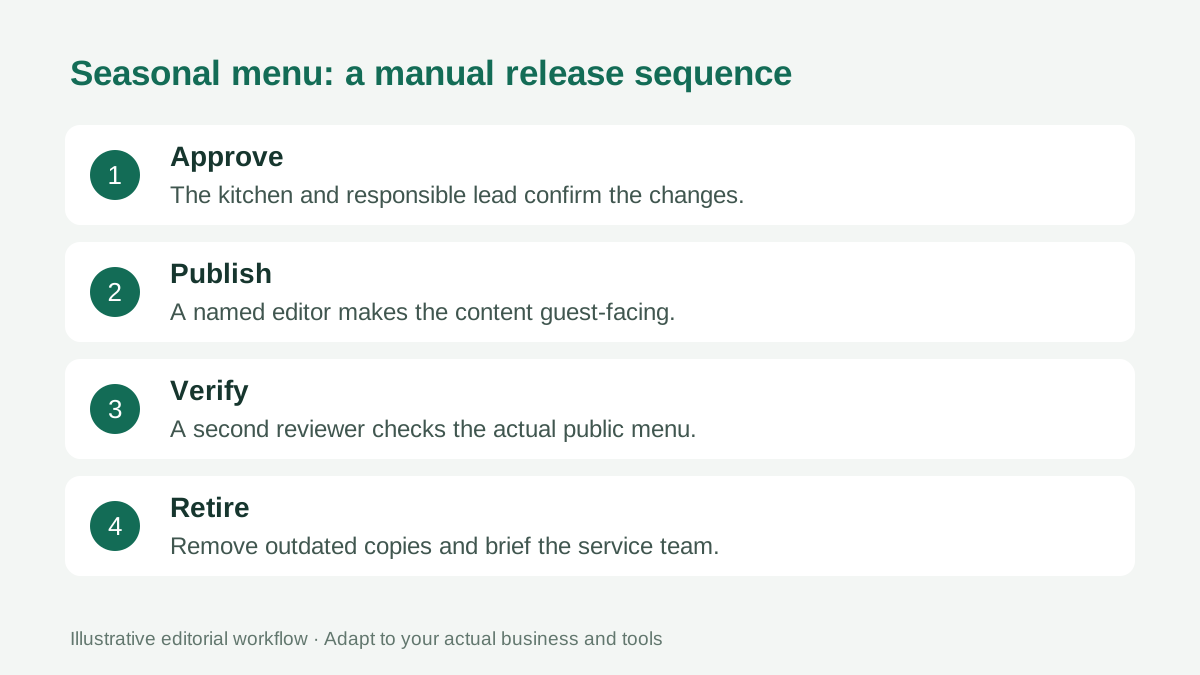
A changeover does not require automatic scheduling. If your current workflow is manual, assign a named person to publish and a second person to confirm the public result. Keep a contact for resolving a missing item or wrong price during the first service.
Edit content before changing the visual style
Work through removals and additions before adjusting photographs or decorative details. Compare the draft with the approved change list category by category. Check whether an old seasonal item still appears elsewhere under a slightly different name.
When importing a revised PDF or photographs, treat extracted text as a draft. Verify digits, currency, item names, and descriptions against the approved source. The guide to proofreading a restaurant menu provides a separate accuracy pass.
Then review order and grouping. A small seasonal section may help guests discover the changes, while an excessive number of new headings can make the menu harder to browse. Preserve familiar navigation where it still serves the guest.
Make the new dishes understandable
Seasonal names can sound attractive while hiding what a guest actually receives. Pair a distinctive name with a factual description of the dish and its principal components. Explain a preparation or ingredient only when the kitchen has confirmed it.
Use photographs of the actual dish where available and authorized. If the garnish or serving vessel has changed, review whether an older photograph remains a fair representation. Do not generate an appealing dish and present it as a photograph of food your restaurant serves.
Keep prices connected to the correct size or option. A new small plate beside an older sharing dish is easy to misread if the category and descriptions do not establish the difference. Our menu price presentation guide covers that relationship.
Bring every guest entry point into the review
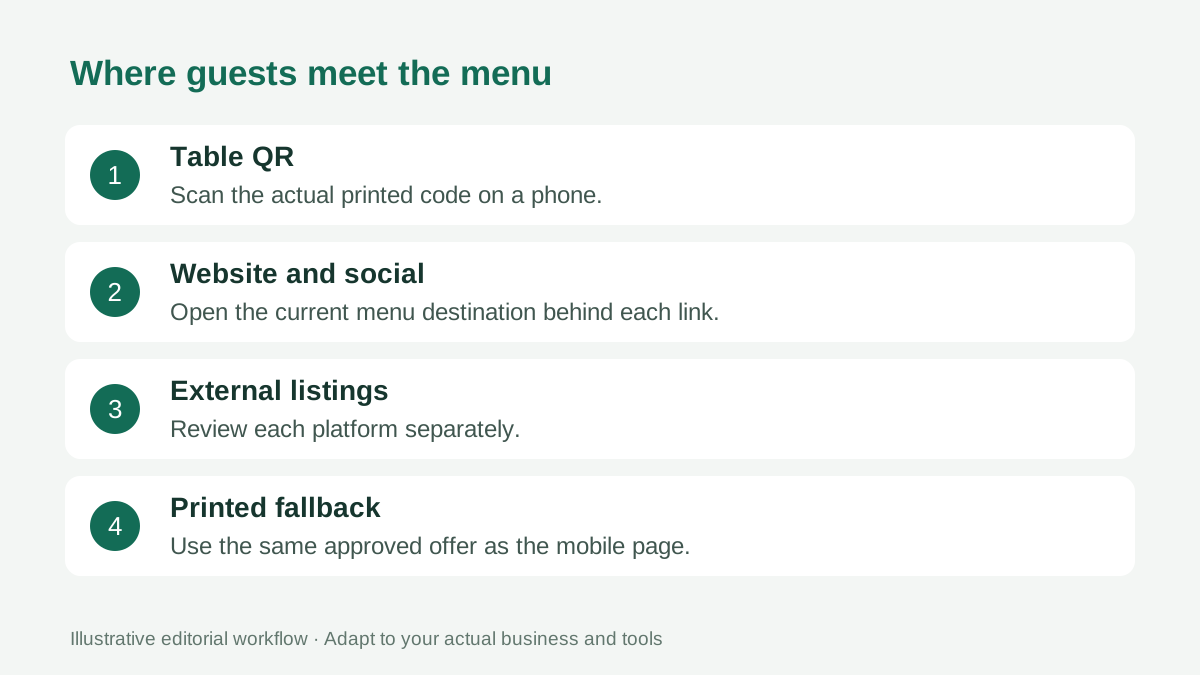
List the places guests encounter the menu: table QR codes, your website, a social bio, your business profile, printed copies, and promotional posts. Open the destination behind each link. Several attractive surfaces can still point to different menu versions.
If the QR code continues to open the same public URL, changing the content at that URL can preserve the printed code. Verify that relationship after publication rather than assuming it. The guide to updating a QR menu without reprinting explains the distinction between a code and its destination.
Treat any external listing as a separate task. Updating your mobile menu does not automatically change every other platform. Assign the necessary edits or replace an outdated attachment with the correct current destination where the platform supports it.
Give the shift lead a short changeover note
Prepare a note the team can use during service: what starts today, what has been retired, which details changed, and who can resolve a discrepancy. Avoid a long marketing document that hides the practical differences.
Ask staff to describe one new item using the approved menu wording. If their explanation differs materially from the menu, resolve the uncertainty before service. A guest should not receive one price from the page and another from the team.
Keep an approved printed or staff-assisted option available for guests who cannot comfortably use the mobile page. The print and digital menu guide describes how these surfaces can support the same offer.
Verify the public menu, then close the old version
After publishing, use a real phone and the actual table QR. Confirm the new items, removed items, amended prices, longest descriptions, and category order. Check the public result while signed out; an editor preview does not prove that guests see the same content.
Record the time and the person who confirmed the release. Keep your approved source and change list in your own records so you can investigate a discrepancy. This is ordinary editorial recordkeeping, not a claim that the menu tool includes version history or automatic rollback.
Finally, retire outdated printed copies and attachments where you control them. Save an internal reference if useful, clearly marked as superseded. During the first service, collect specific problems and correct the public content after the responsible person approves the change.
For the next changeover, keep a short note of the issues that actually occurred. A duplicated dish, an outdated attachment, or an unclear service boundary gives you a concrete improvement to make. Review those notes before the next seasonal release instead of rebuilding the process from memory.
Frequently asked questions
Do I need to replace the QR code for a seasonal menu?
A QR code opens a particular URL. If you keep that public URL and update its content, the code can continue to work. Test the printed code after publication; if the URL changes, the old code needs its own review.
Can AI approve new menu prices or ingredients?
No. Treat imported menu content as a draft. The restaurant must approve dishes, descriptions, prices, and any food information against its actual recipes and service.
Should the seasonal menu appear before the kitchen is ready?
Publish guest-facing availability when the restaurant can actually serve the dishes. Prepare and review the changes beforehand, and agree a clear changeover point with the shift lead.
What if a seasonal ingredient becomes unavailable?
Have the kitchen approve the revised offer, update the affected guest-facing content, and tell the service team what changed. Do not leave an old description online while relying on staff to explain every discrepancy.